How to Nail a Remote Job Interview
I still remember the absolute sinking feeling in my gut when my screen froze mid-sentence during my first big virtual meeting, leaving me staring at a gallery of confused faces while my laptop fan sounded like a jet engine. It was humiliating, and it had nothing to do with my actual skills. Most of the generic remote job interview tips you find floating around the internet are useless fluff about “having a positive mindset” or “dressing professionally,” which completely ignores the chaotic reality of trying to look composed while your neighbor starts mowing their lawn and your Wi-Fi decides to take a nap.
Look, I’m not here to give you a polished, corporate lecture that sounds like it was written by a HR bot. I’ve spent years navigating the glitches, the awkward silences, and the weird lighting dilemmas that come with digital hiring. Instead, I’m going to give you the straight-up, battle-tested truth on how to actually nail these calls. We’re going to skip the fluff and focus on the practical stuff that actually makes a difference, so you can walk away from that screen feeling like you totally crushed it.
Table of Contents
Perfecting Your Remote Interview Technical Setup
Let’s be real: nothing derails a great conversation faster than your screen freezing mid-sentence. Before you even think about picking out an outfit, you need to nail your remote interview technical setup. Start by testing your internet connection for interviews at least twenty minutes before the start time. Don’t just assume your Wi-Fi is fine because you watched Netflix on it last night; run a quick speed test to ensure you have the bandwidth to handle high-def video without lagging. If your connection is spotty, try plugging directly into your router with an ethernet cable—it’s a total lifesaver.
Next, take a look at what’s happening behind you. You don’t need a studio, but you do need a professional background for video calls. A cluttered bookshelf or a pile of laundry in the corner is a massive distraction that pulls the interviewer’s focus away from your answers. Aim for a neutral, tidy space with decent lighting facing you, rather than sitting with a bright window behind your head. You want them looking at you, not staring at a silhouette in a dark room.
Crafting a Professional Background for Video Calls
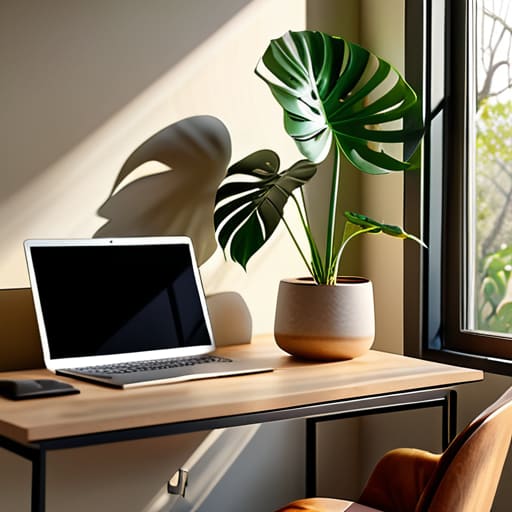
Let’s be real: nobody wants to be interviewing while sitting in front of a mountain of unfolded laundry or a distracting, cluttered bookshelf. Your environment speaks before you even open your mouth. When you’re aiming for a professional background for video calls, the goal isn’t to look like you’re sitting in a sterile corporate office, but rather to ensure nothing in your frame pulls the recruiter’s attention away from what you’re actually saying. A simple, neutral wall or a tidy corner with a single plant works wonders.
If your space is looking a little chaotic, don’t panic—lean on technology. Most platforms like Zoom or Teams have decent blur features, but use them sparingly; if the blur looks too heavy or “glitchy,” it can actually mess with your digital body language in interviews by making your hand gestures look unnatural. I always suggest finding a spot with decent lighting facing you, rather than having a bright window behind your head. You want to look like a person, not a mysterious silhouette in a dark room.
Master the Non-Verbal Game (Without Looking Like a Robot)
- Dress for the job, not the webcam. Even if they can only see your shoulders, wearing a real outfit—not just a clean t-shirt—changes your posture and how you carry yourself. Plus, it keeps you in the right headspace.
- Eyes on the lens, not the screen. It’s tempting to stare at your own face or the interviewer’s eyes on the monitor, but looking directly into the camera lens is the only way to actually “make eye contact” with them.
- Master the art of the “Digital Nod.” Since there’s often a slight lag in video calls, you can’t rely on heavy leaning or physical touch to show engagement. Use small, deliberate nods and facial expressions to show you’re following along without interrupting the audio.
- Prep a “Cheat Sheet” that doesn’t look like a cheat sheet. Stick a few Post-it notes near your camera with key stats or questions you want to ask. It keeps your eyes up and prevents that panicked “uhm, what was that one thing again?” moment.
- Control your energy levels. Video calls tend to drain your natural charisma, making you seem flatter than you actually are. Dial your energy up about 10% higher than usual to ensure your enthusiasm actually translates through the pixels.
The Cheat Sheet for Interview Success
Nail the tech before the talk—test your mic, camera, and Wi-Fi early so you aren’t scrambling when the recruiter joins the call.
Curate your space to minimize distractions; a clean, quiet background keeps the focus on your answers rather than your laundry pile.
Treat the virtual screen like a real room—maintain eye contact with the camera and keep your energy high to bridge the digital gap.
The Real Secret to Virtual Confidence
“At the end of the day, your tech setup and your background are just there to get out of the way; the goal is to make sure they’re so seamless that the interviewer forgets they’re looking at a screen and starts actually listening to you.”
Writer
Final Thoughts Before You Hit Join

At the end of the day, nailing a remote interview is about more than just having a fancy ring light or a high-speed connection. It’s about the synergy between your technical preparation and your personal presence. You’ve already done the heavy lifting by securing your Wi-Fi, cleaning up your background, and making sure your tech isn’t going to fail you mid-sentence. When you combine that seamless setup with genuine engagement and clear communication, you remove the digital barriers that often get in the way. By handling the logistics ahead of time, you’re essentially clearing the stage so your actual talent can take center stage without any annoying distractions.
Remember, even though you’re staring at a glass screen instead of a person sitting across a desk, there is a human being on the other side looking for a connection. Don’t let the webcam make you feel like a robot; let your personality shine through the pixels. You have the skills, you have the experience, and now you have the toolkit to present them without the technical headache. Take a deep breath, trust your prep, and go show them why you’re the perfect fit for the role. You’ve totally got this.
Frequently Asked Questions
What should I do if my internet suddenly cuts out in the middle of the interview?
Don’t panic—it happens to the best of us. The second you realize you’re disconnected, grab your phone and immediately send a quick email or LinkedIn message to your interviewer. Let them know exactly what happened and that you’re working to get back online. If it’s a total blackout, suggest jumping on a quick phone call instead. Showing you can stay calm and problem-solve under pressure actually looks pretty good to employers.
Is it okay to wear something more casual than a suit if I'm interviewing from home?
Look, the “suit and tie” rule has definitely loosened up, but don’t mistake “casual” for “couch potato.” If you show up in a faded hoodie, you’re sending a signal that you aren’t taking this seriously. Aim for the “smart casual” sweet spot—think a crisp button-down or a nice knit sweater. You want to look like you’re ready to step into an office, even if you’re actually sitting three feet from your bed.
How do I maintain eye contact with the interviewer when I'm looking at a screen?
Here’s the trick: stop looking at their face on the screen and start staring directly into that tiny camera lens. I know, it feels awkward—like you’re staring into a void—but to the interviewer, looking at the lens is the only way you actually look them in the eye. Try placing a little sticky note with a smiley face right next to your webcam; it gives you a target and keeps your gaze centered.